Get Started with Your CloudLabs Databricks Lab Environment A Step-by-Step Guide
Get Started with Your CloudLabs Databricks Lab Environment: A Step-by-Step Guide

AI, ML and Data Science have emerged as a transformative force across various sectors, with education being no exception. The adoption of AI-centric training and machine-learning experiences is reshaping the educational landscape. Further, the quality of AI-based training data directly affects the output of machine learning models, influencing the decision-making abilities of global business conglomerates. According to an IDC study - for every $1, a company invests in AI gets to earn an average of $3.50 in return. Thus making it crucial for educators/trainers and learners to stay updated with the rising trends.
Databricks dedicatedly works towards helping data & AI practitioners upskill and reskill. From hands-on experiential cohort-based learning experiences to self-paced training, Databricks meets learners’ and trainer-specific requirements at different parts of the learning journey over its comprehensive offerings. So far, 130k+ learners worldwide have earned Databricks certifications and badges, showcasing their talents in data & AI across fields of data analytics, ML engineering, and generative AI.
Headquartered in the USA, CloudLabs serves top-tier educational institutes globally, helping them deliver practical learning experiences across different subjects and schools of thought over cutting-edge, hands-on, innovative lab solutions.
With a focus on teaching Data and AI, Spektra Systems joined forces with Databricks University Alliance, offering access to fixed-cost Databricks Lab Environments over the CloudLabs platform. This alliance enables access to Databricks lab environments, specifically designed to empower educational institutions in delivering cutting-edge data and AI curricula. Available in 5 different plans and with multiple features enabled, Databricks Labs offers a quality learning experience.
Our labs offer a flexible user interface backed by multiple controls specific to different users available. Whether you are in the process or have already made a purchase, the blog will help you with a quick overview of the Databricks experience, followed by an in-depth tour of how easy it is to get started with us anytime and any day.
Key Capabilities of CloudLabs Managed Databricks Lab Environments
CloudLabs managed Databricks lab environment offers convenient access to hands-on learning experiences tailored to the participant’s busy schedule, ensuring the right amount of flexibility needed. There’s more that adds to the value of the entire experience:
- Customization on Scale: Request seamless customization with lab duration and cluster runtime, share a list of libraries to be pre-installed in the labs, and even raise custom requests to host Databricks compute resources on GCP or Azure other than AWS.
- Seamless Lab Access: Sign up and log in to your Databricks workspace from any browser of your choice. Learners can use their Work or School Account, Microsoft, LinkedIn, Google Account, or CloudLabs account to log in.
- Dedicated Instructor Controls: As an instructor, you can create catalogs & manage permissions for users, access and manage student environments, and edit clusters/SQL warehouse permissions as well.
- Unlimited DBU Credits: The fully managed lab environments come equipped with unlimited DBU credits, ensuring a seamless learning experience.
- Multi-platform Flexibility: Databricks labs are hosted in AWS in general, which, on request, can be hosted on Azure & GCP environments as well.
Who Is It For?
Databricks labs assure stimulative and demonstrative learning environments for faculty, learners, and professionals, featuring hands-on labs that are secure, tailor-made, and budget-friendly. Thus facilitating hands-on teaching and learning experiences for Data, AI, and Cloud courses.
Anyone interested in upscaling their knowledge in Data, AI, and Cloud technology can sign up and access the labs at their convenience. Offering customization on the scale and dedicated learning experiences for the faculty, learners, and professionals, CloudLabs-managed Databricks lab environments add more value to the entire learning process, making it seamless and more efficient.
Databricks Lab Environment Purchase Guide
CloudLabs and Databricks have come together to empower participants in leveraging the powerful capabilities of the Databricks platform for data and AI operations. Also, the partnership enables educators to get rid of manual tasks like setting up a lab environment and provisioning the same. Rather, concentrate on teaching, creating a more effective learning experience. In case you are willing to get started with the same, here is a step-by-step guide assuring a seamless purchase experience:
Step 1 – Book a Free Trial
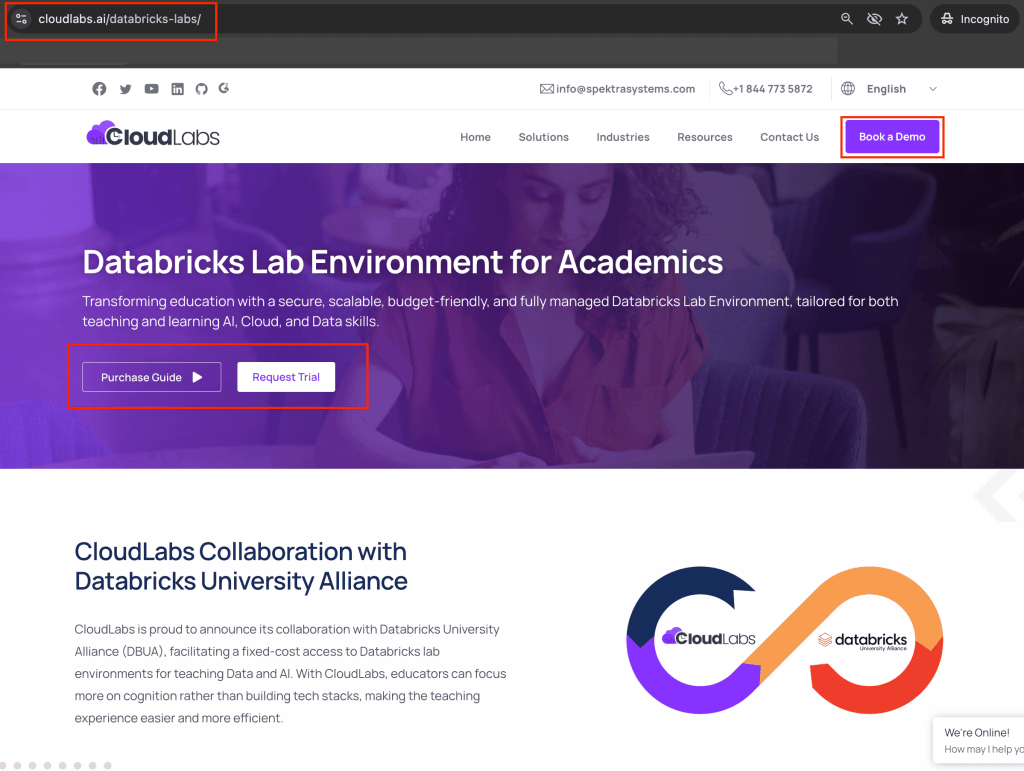
- Visit https://cloudlabs.ai/databricks-labs/ to get a comprehensive overview of the Databricks Lab Experiences. You can always book a demo or request a free trial of the Databricks labs.
Step 2 - Get an Overview of Databricks Lab Environment Offerings
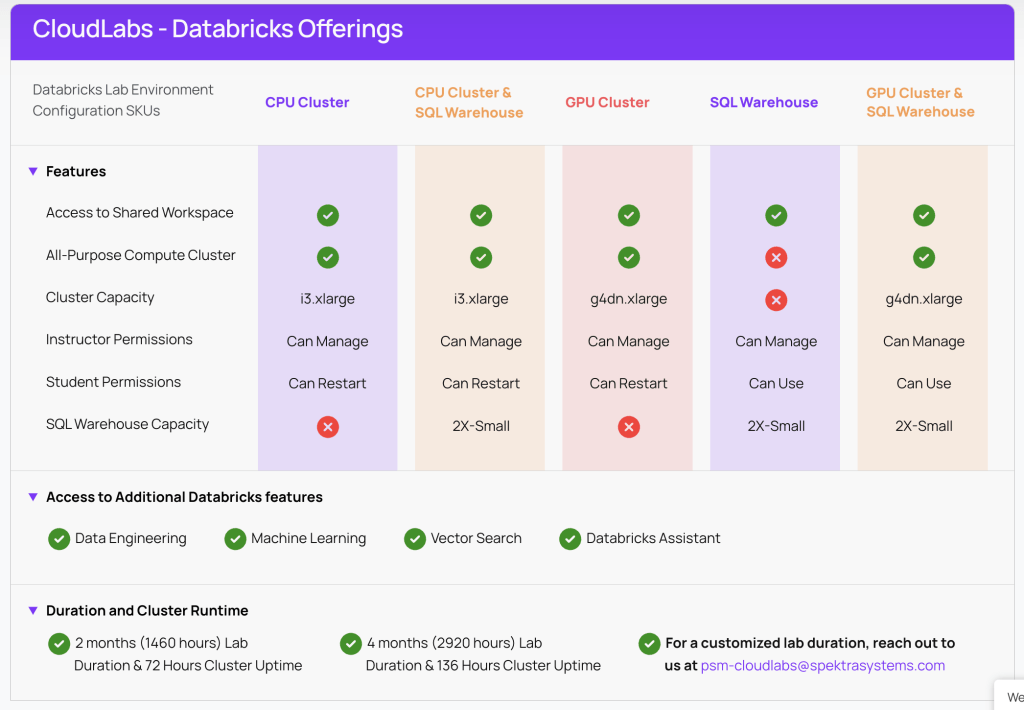
- Scroll down the landing page to find Databricks Environment offerings along with options to request labs with custom durations. Reach out to psm-cloudlabs@spektrasystems.com to request a lab with a custom duration.
Step 3 – Explore Our Dedicated Purchase Options
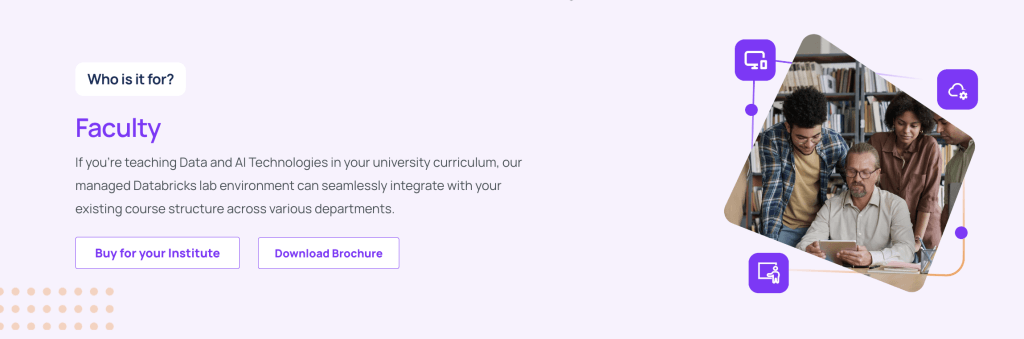
- Educators and faculty members can make a purchase for their institute for teaching data and AI technologies. The managed Databricks labs are capable of seamlessly integrating with the existing course structure across various departments, enabling uninterrupted learning experiences.
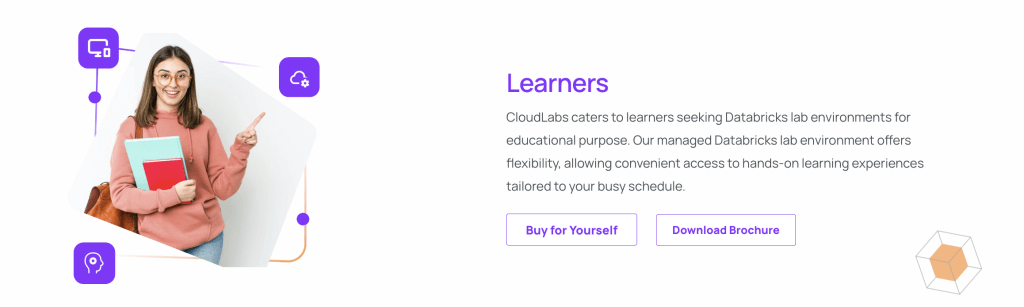
- Students looking for an AI, ML, or Data Science knowledge upgrade can definitely trust on Databricks lab environment. Dedicated labs are available with complete flexibility, letting learners continue along with their existing academic commitments. Thus allowing convenient access to hands-on learning experiences tailored according to busy schedules.
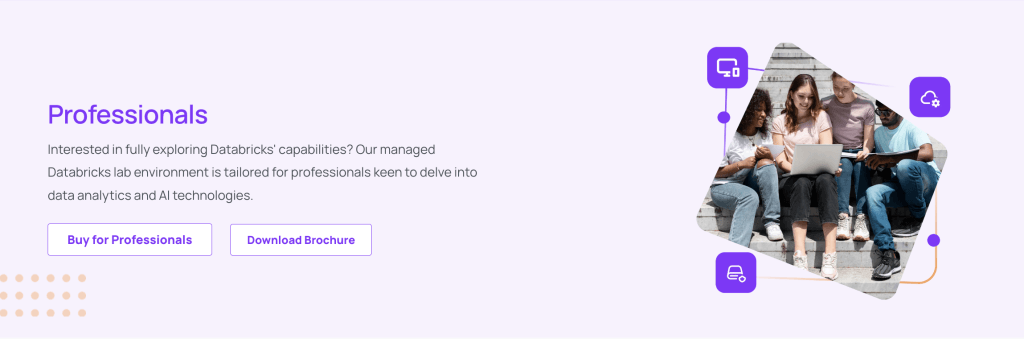
- For professionals we have plenty of growth opportunities available as well, to delve into data analytics and AI technologies. Take a look into the lab experience now and make an informed decision at your own convenience.
Step 4 – Welcome to CloudLabs Market Place
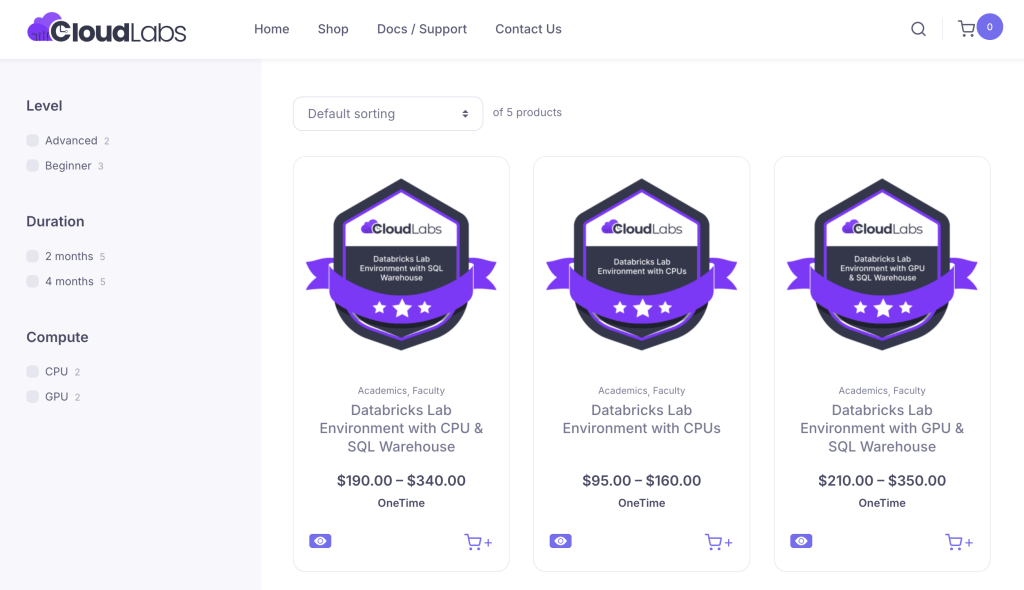
- Browse through all the lab environment offerings and choose one that is appropriate and suitable for your specific use cases.
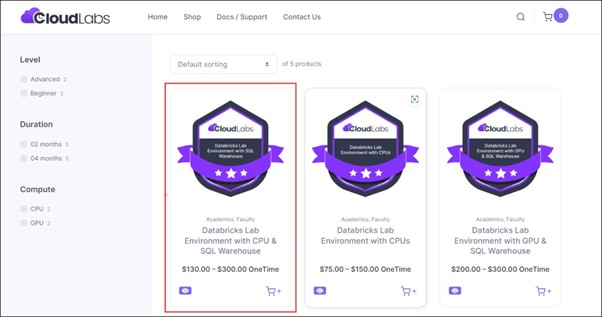
- Select an offering that suits your requirements and proceed towards your purchase.
Step 5 – Add to Your Cart
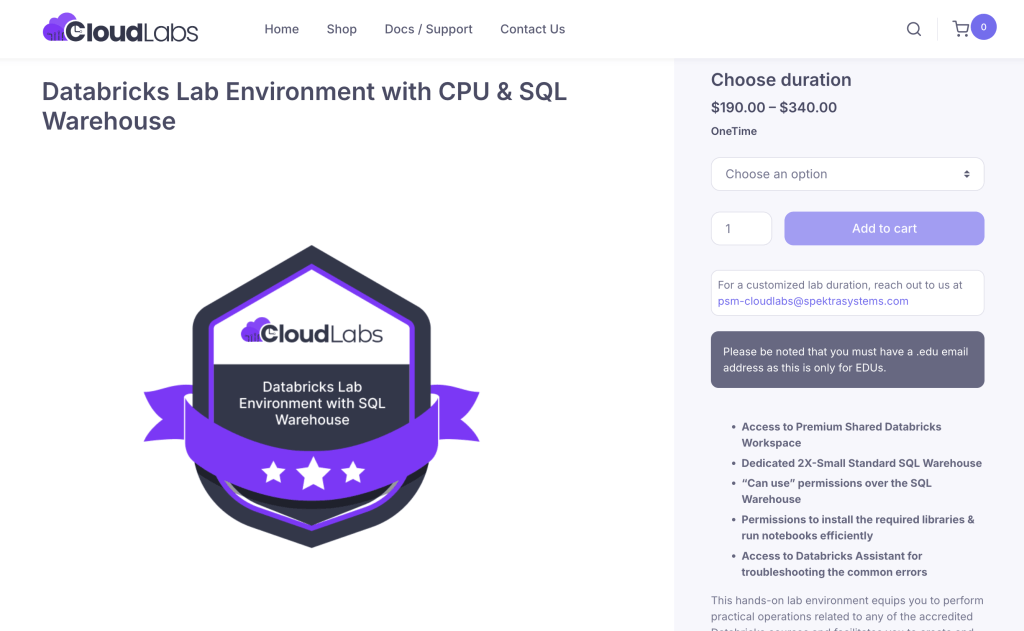
- Start by selecting the duration for your lab environment in the dedicated field. Also, do not forget to specify the quantity of your purchase.
- Next, click on the “add to cart” option to move your offering to the cart. Once your offering is added, navigate to the cart to view the same.
Step 6 – Review and Check Out
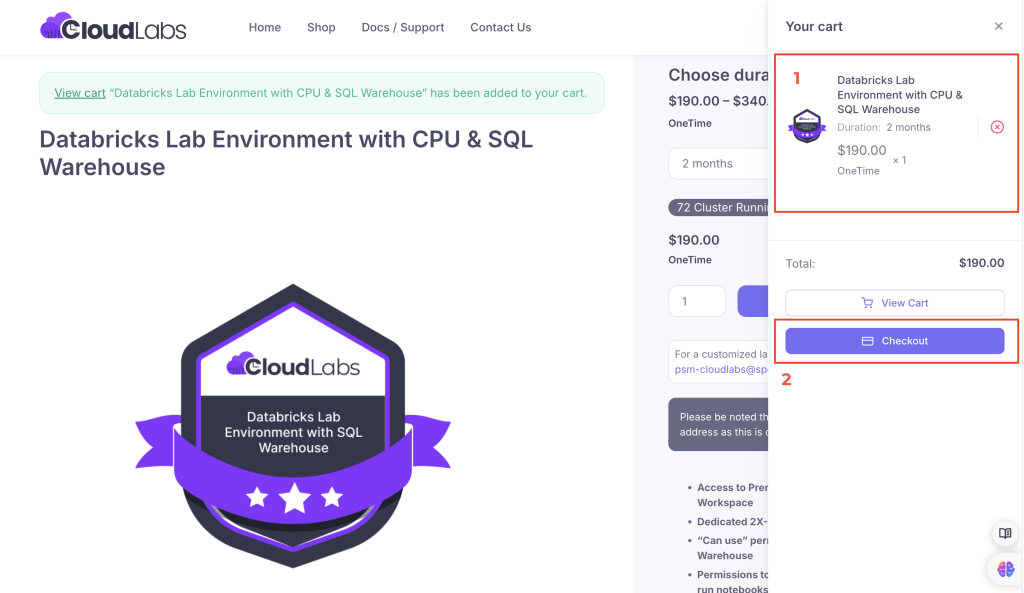
- Review the plan selected (1) and then proceed by clicking on the Checkout tab (2).
Step 7 – Fill in the Billing Details
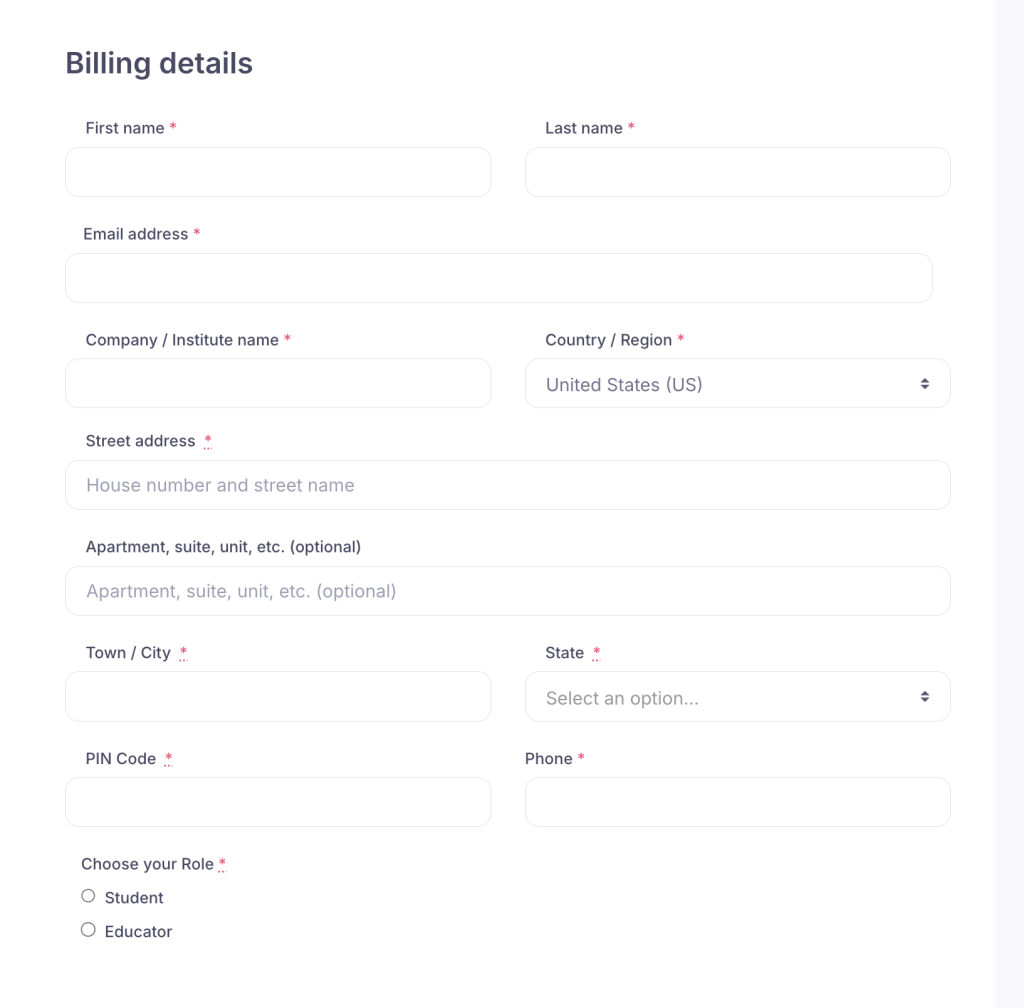
- Fill in all the mandatory fields in the billing details page. Also, choose your role in the dedicated section provided.
Step 8 – Place Order
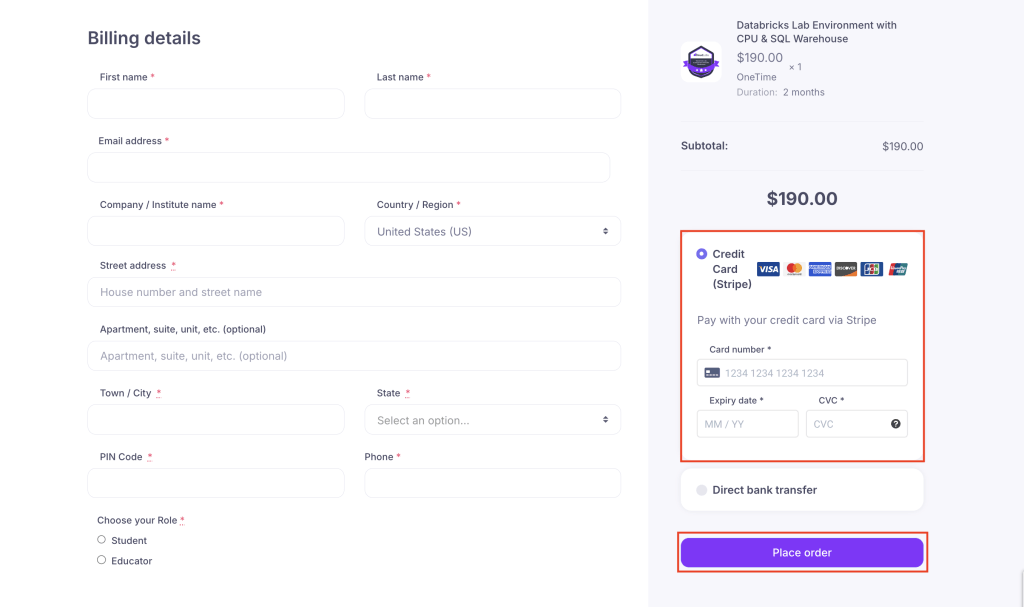
- Fill in your bank/card details and place the order by clicking on the “Place Order” tab.
Step 9 – Check for Confirmation Message
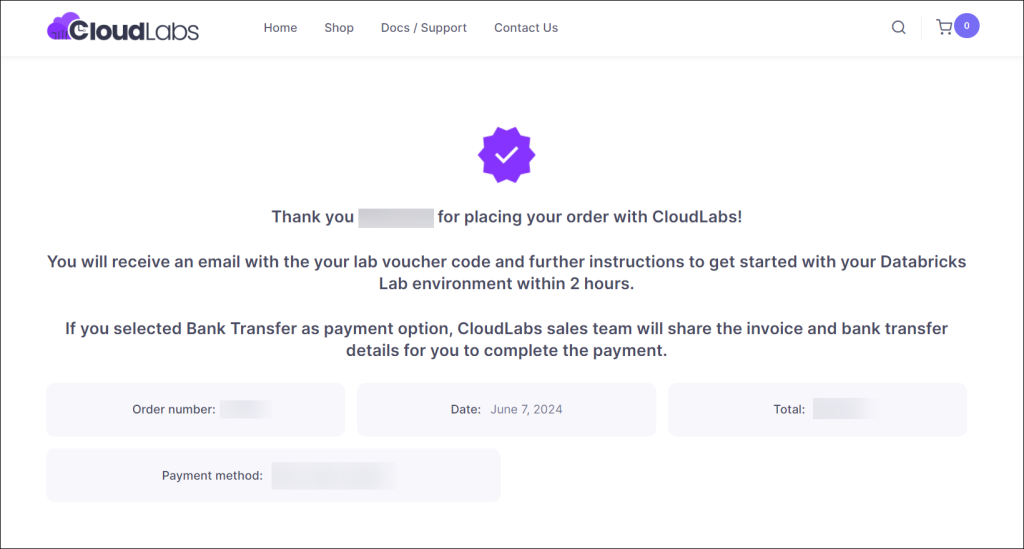
- Check your registered email ID’s inbox for a confirmation message.
Step 10 – Emails for Bank Transfer/Credit Card Use
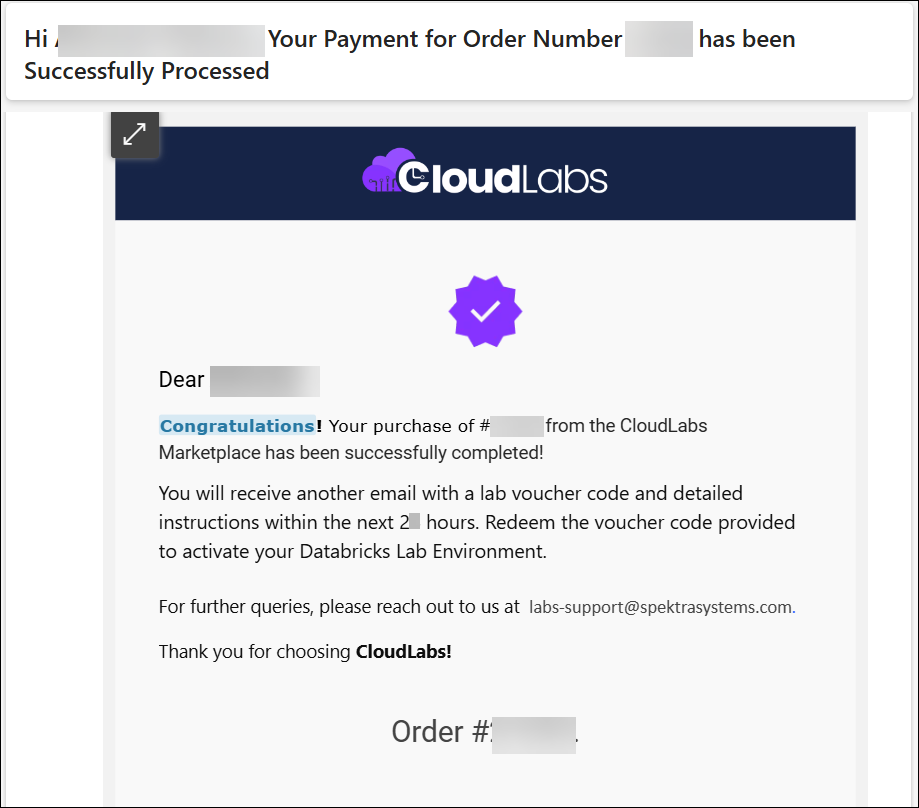
- You will receive a similar email after completing a successful purchase over a credit card.
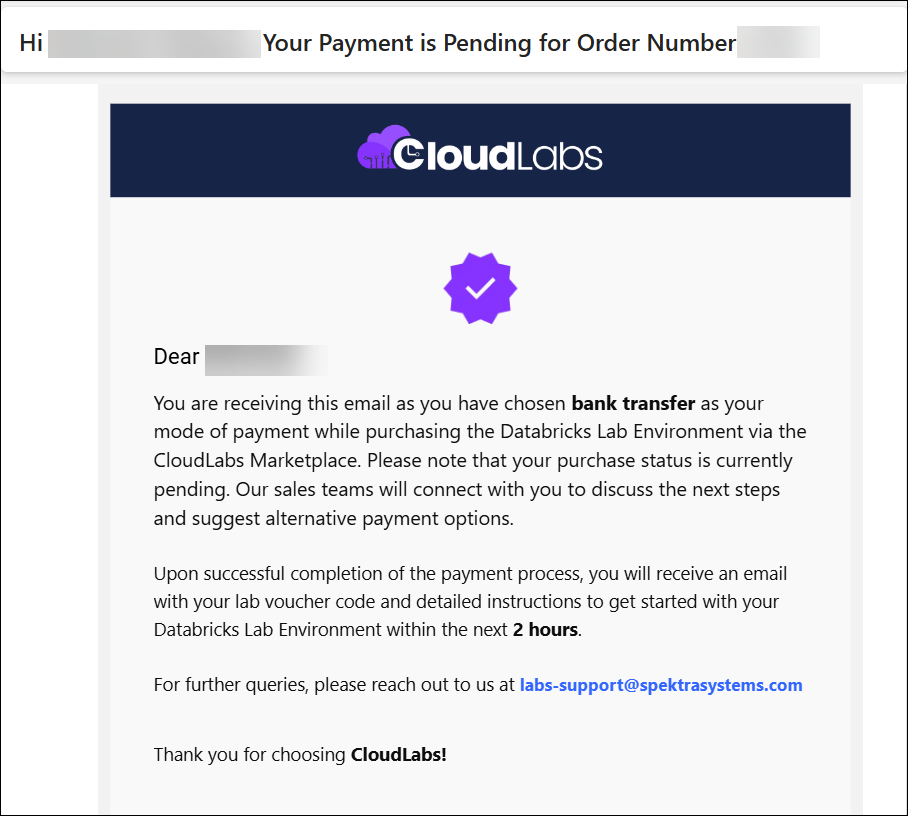
- You will receive a similar email after completing a successful purchase over a credit card.
Walkthrough Guide for Accessing Your Databricks Lab Environment s
After completing a successful purchase, you will get your voucher code and further instructions within 2 hours. Post that follow the steps below to activate and access your Databricks Lab Environments:
Step 1 - Receive your voucher code & URL via email
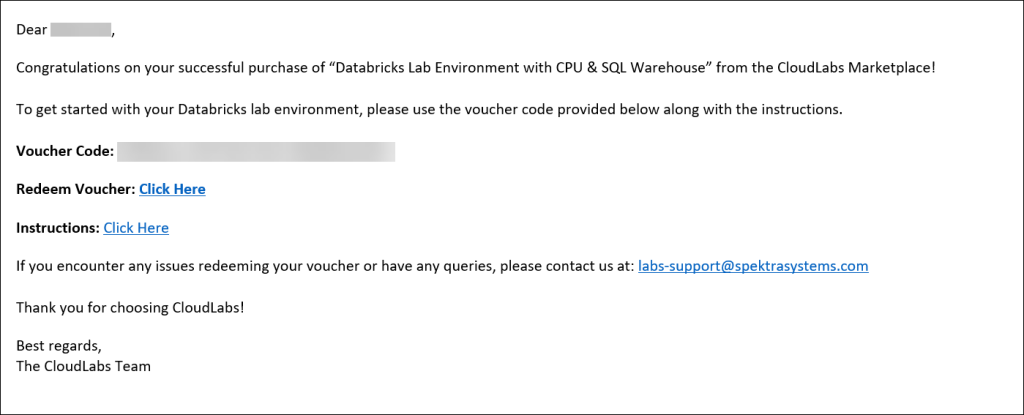
- Check the inbox of your registered e-mail address for an e-mail with your voucher code & a URL for redeeming it. Copy the voucher code & save it in a notepad.
Step 2 – Sign up to the CloudLabs Portal
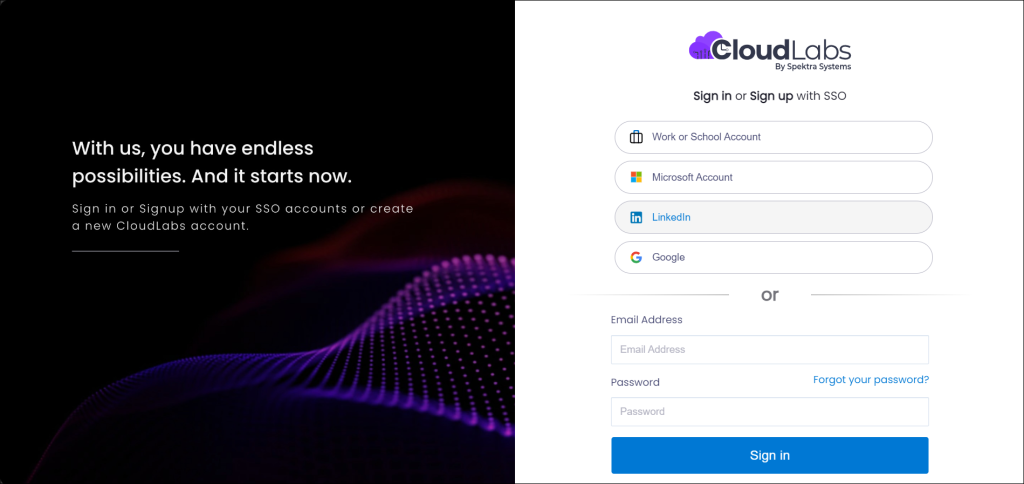
- The link will redirect you to the CloudLabs portal. On the screen, you will see multiple options to log in, which include Work or School Account, Microsoft Account, LinkedIn & Google. Select a login option from the list, enter your credentials, and proceed.
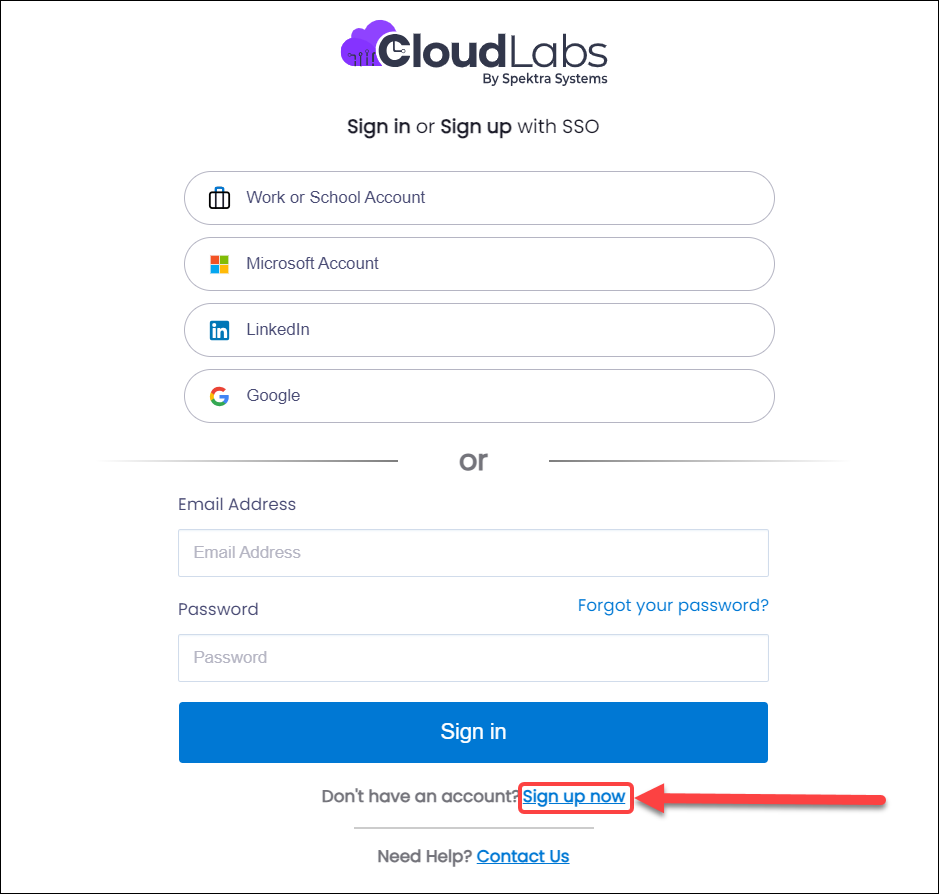
- In case, you do not have an account with any option available, you can even sign up with CloudLabs and proceed further.
Step 3 – Redeem Voucher Code
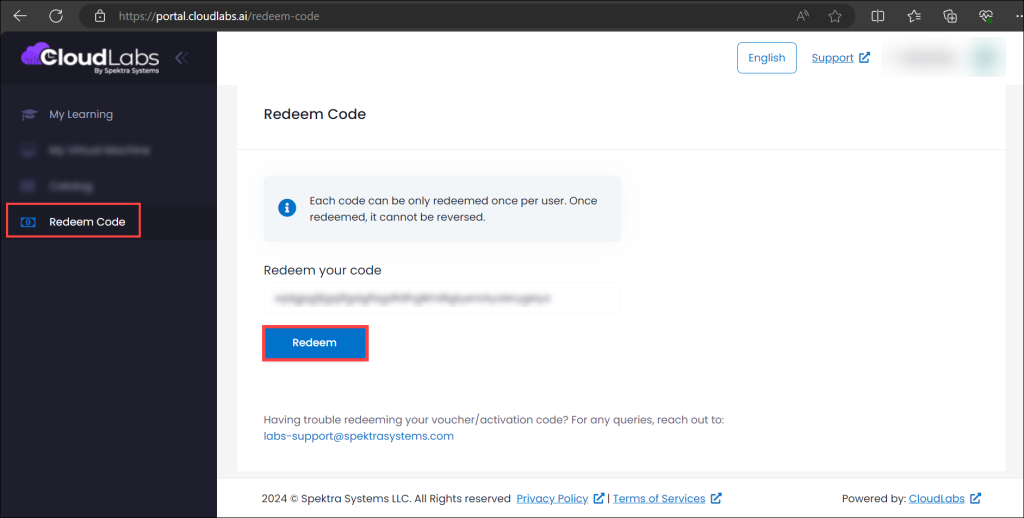
- After successfully logging in, you will be able to access the CloudLabs Portal and view the option – “Redeem Code.”
- Paste the voucher code you have saved in your notepad in the “Redeem your code” section and click on Redeem.
Step 4 – Receive Confirmation Message
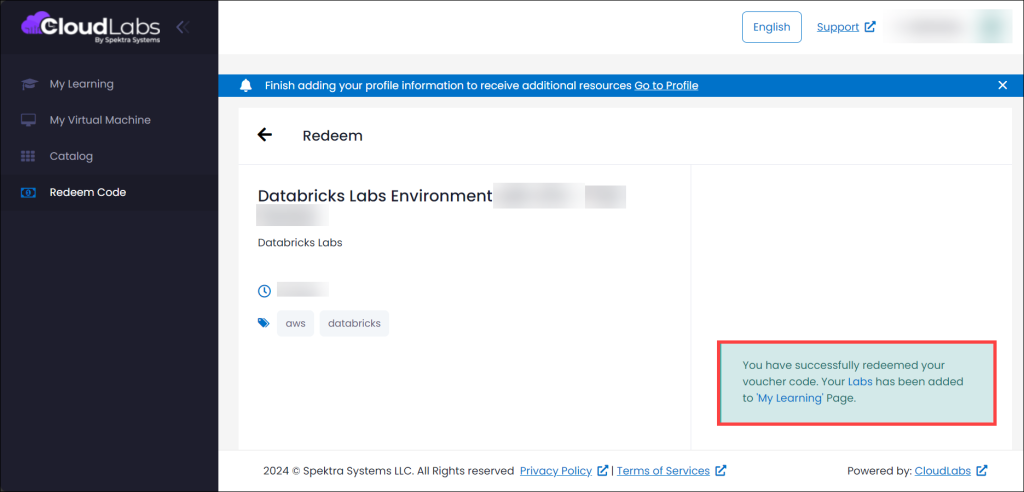
- Post redeeming the voucher, check for a confirmation message & details of your lab environment (as shown in the screenshot).
Step 5 – Navigate to the Labs Section
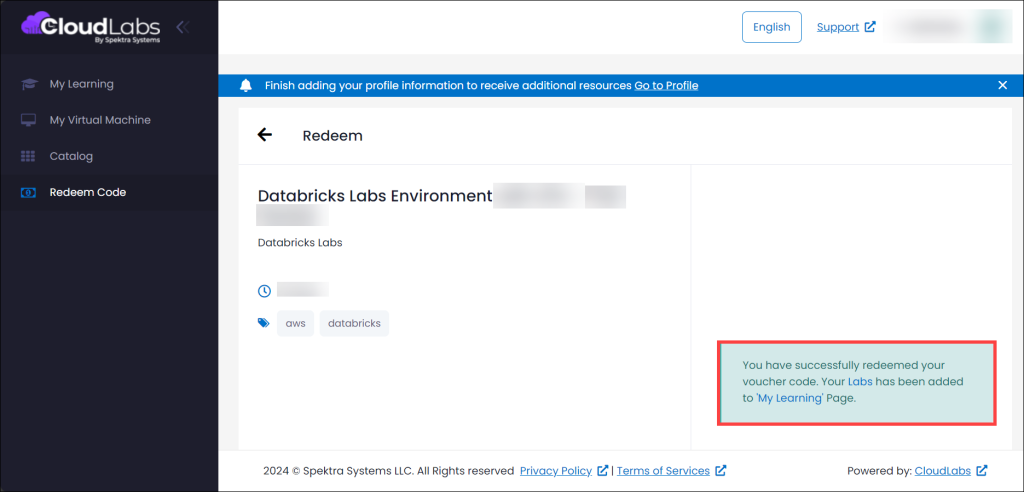
- Navigate to the labs’ section by clicking on “Labs” in the “Your Labs has been added to My Learning Page,” as shown in the image.
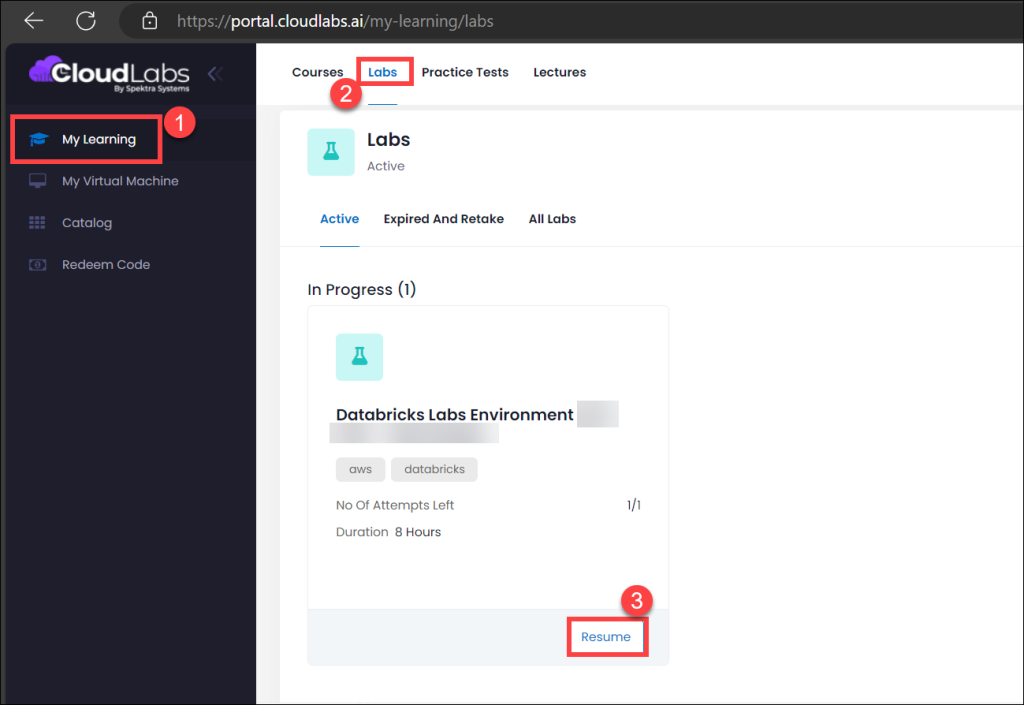
- You can also select the My Learning (1) tab from the menu on the left and then click on Labs (2). View your purchased Databricks Lab Environments and click on the Launch (3) option to activate any environment.
Step 6 - Lab Provisioning
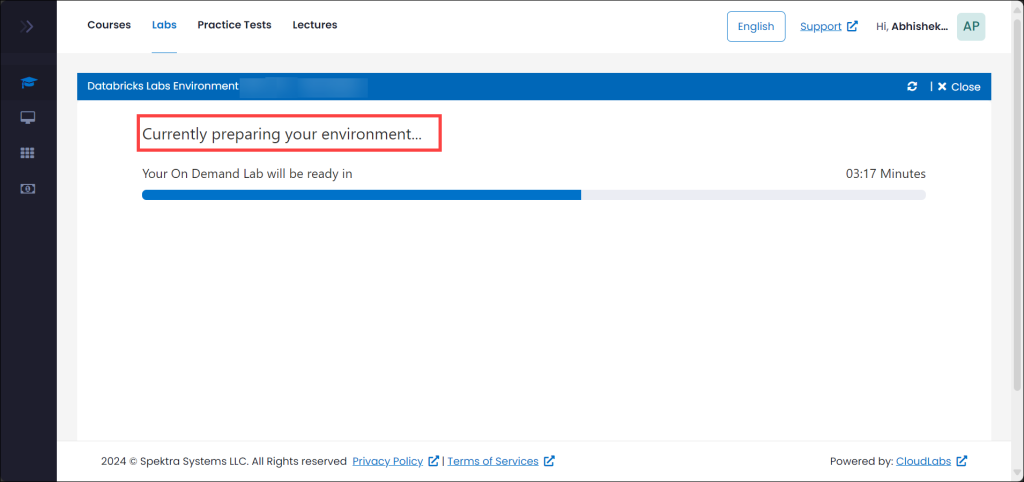
- It generally takes up to 5 minutes for a lab environment to provision.
Step 7 – Follow Lab Description
- Once the environment is ready, check for the lab duration (1) on the top right side of the page, a note (2) declaring your lab’s duration & cluster running hours. Also, there will be Lab description (3) details, Here, find the instructions (4) to log in to your Databricks workspace.
Step 8 – Check Lab Environment Details
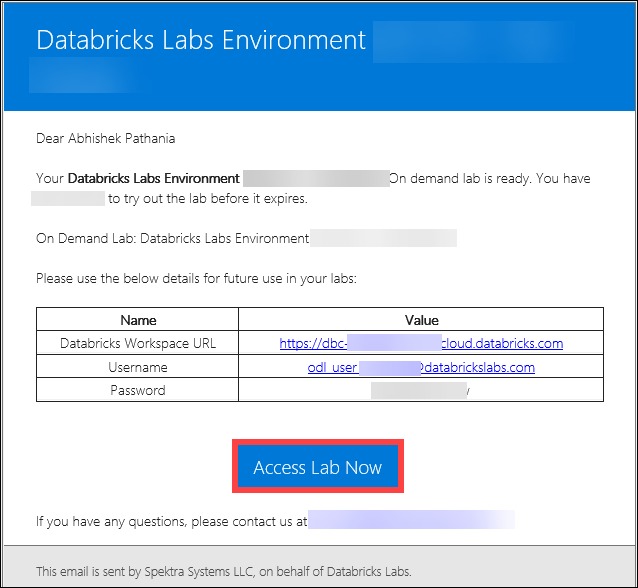
- Take a look at the Databricks workspace credentials. In the Environment details Copy and paste these details to your clipboard. You will require these to log into the Databricks Workspace.
Step 9 – Log in to Databricks Workspace
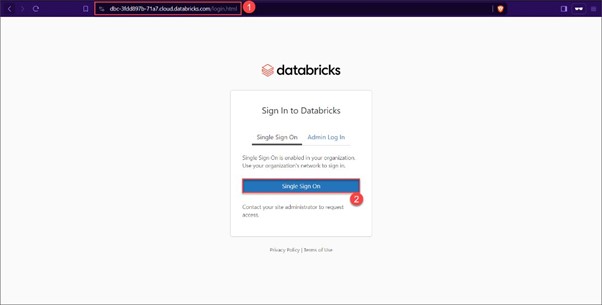
- Open a new tab in your browser and navigate to the Databricks URL (1) copied to your clipboard. Select the Single Sign On (2) option when prompted for a login.
- Provide the previously used username and password, that you had copied in your clipboard (in step 8).
Step 10 – View Databricks Workspace Dashboard
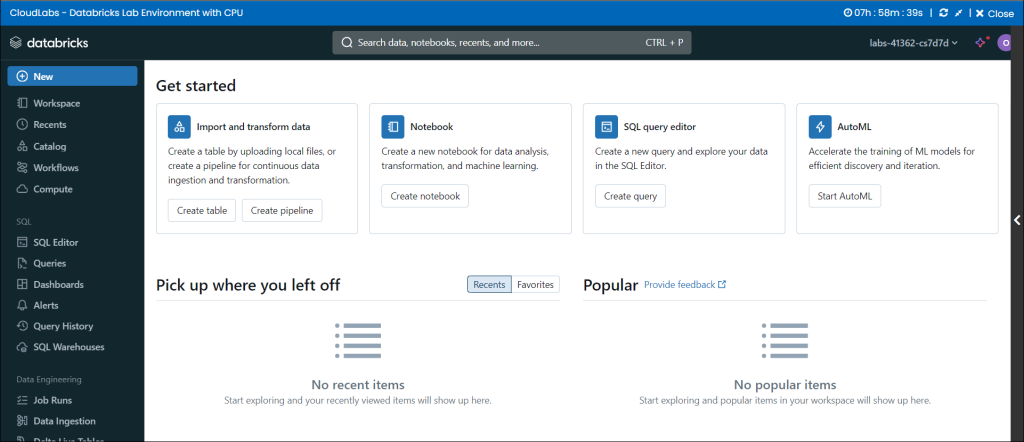
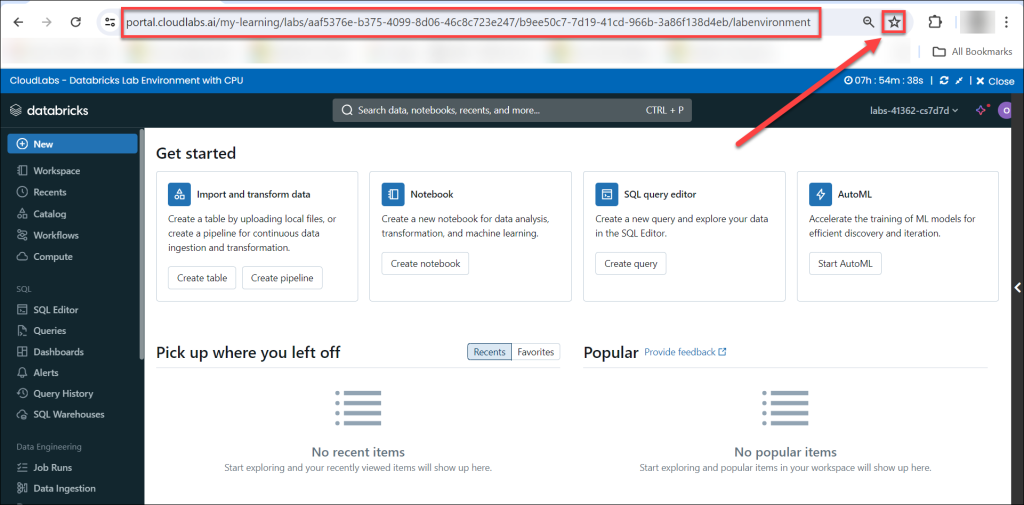
- Welcome to your Databricks Workspace Dashboard. Bookmark this page for your future access.
Final Words
In conclusion, CloudLabs and Databricks, with fully featured, easy-to-use, managed, and practical labs, ensure a seamless learning experience. Truly remaining committed to the goal of transforming the education sector through innovative, technology-driven learning environments. From ensuring complete flexibility and convenience with lab access for individual learners and busy professionals to facilitating unhindered integration with existing course structures across various departments in an institute, the labs stand out, offering a one-of-a-kind experience.
For a quick overview of Databricks labs, check out. – Lab Experience by CloudLabs
To book a demo with us, click on – Book a Demo.
 Education Fall 2026 Checklist for Universities: Are Your Virtual Labs Ready for the Next Semester? As universities prepare for the Fall semester 2026, lab readiness becomes a priority.
 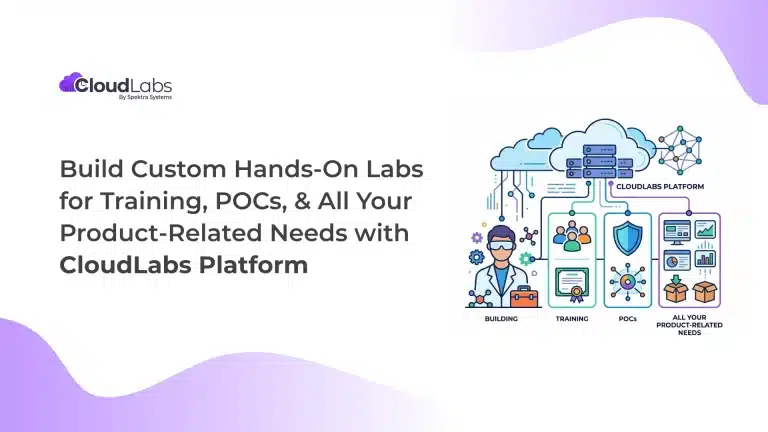 Hands-on labs Build Custom Hands-On Labs for Training, POCs, and All Your Product-Related Needs with CloudLabs Platform Build on-demand, custom hands-on lab environments with the CloudLabs platform for product training, POCs, demos, certification, and team enablement.
  Education Why Educational Institutions Are Moving to Virtual Computer Labs Higher education and technical training are undergoing a structural shift. Learning has expanded beyond classrooms, fixed schedules, or campus boundaries.